Hold on to every tiny moment, gently.
The first year goes by in a blur of feeds, naps and whispered lullabies. Kukumuma is a calm companion for your baby’s days — and for the muma carrying so much. Log in a tap, rest a little easier, and keep the little things you never want to forget.

To the parent awake at 3 a.m.
You’re doing better than you think. The feeds, the diapers, the soft swaying in the dark — most of it nobody sees. We see it.
Kukumuma keeps the count so you don’t have to, and leaves the tenderness to you. No grades, no guilt, no pressure to get it right. Just a quiet place to rest your mind, so you can rest your arms on the little one who’s finally asleep.
Everything they need. Everything you need.
Your baby’s routine and your own recovery get the same gentle attention, in one calm place.
Feeding
Nursing timer with side, bottles with milk type and amount, pumping and your milk stash. Breast, bottle or both — no judgment, ever.
Sleep & rest
Start a timer or log it later. Watch naps and the daily rhythm quietly take shape, at their pace, not a chart’s.
Your recovery
Pain, mood, water, meals and rest. Because the person caring for baby deserves caring for, too.
Calm, from the first tap.
Most things take one or two taps, and details are always optional. Built for one hand and very little sleep.
One gentle day, together.
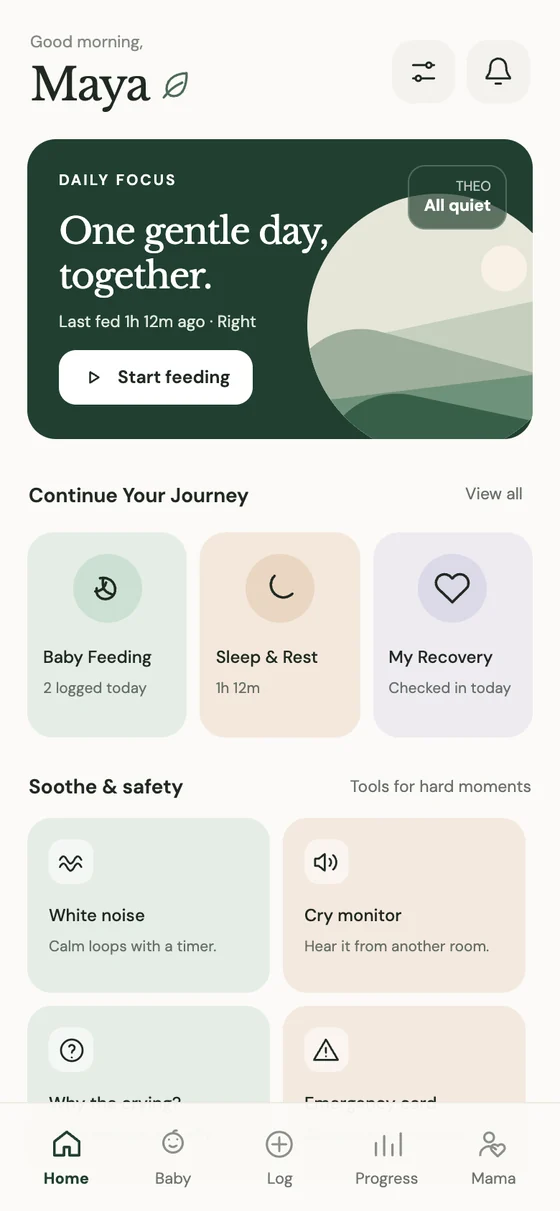
Open the app and see only what matters now: when baby last fed, a single button to start the next one, and soft shortcuts for the tough moments.
Your little one’s day.
Last feed, last diaper, sleep so far — at a glance. Everyday care, health notes and little milestones, without the clutter.
A moment at a time.
Breastfeeding with a live timer, bottles, pumping, diapers, sleep, temperature — and your own recovery, too. Most actions are one or two taps.
Patterns, never a score.
Clear summaries of what you recorded, from today to the 7-day rhythm. Empty days simply mean nothing was logged — nothing more.
How are you, Muma?
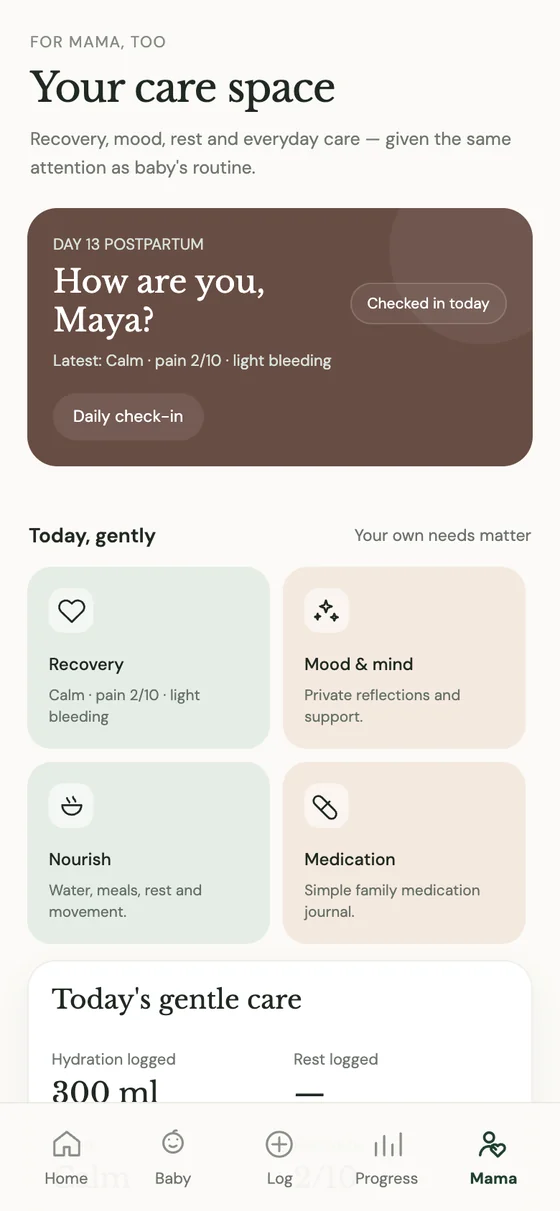
A daily check-in for recovery, mood, hydration and rest — given the same attention as baby’s routine.


Small helps, all day long.
Not a dashboard to manage. A quiet friend who’s there for the hard moments and the sweet ones.
A quiet night feed
Start the timer with one hand. Right side, sixteen minutes. Back to sleep, both of you — the app remembers which side was next.
“How are you, Muma?”
A two-tap check-in: how you slept, how you feel, whether you’ve had water. Your needs matter too.
The crying that won’t stop
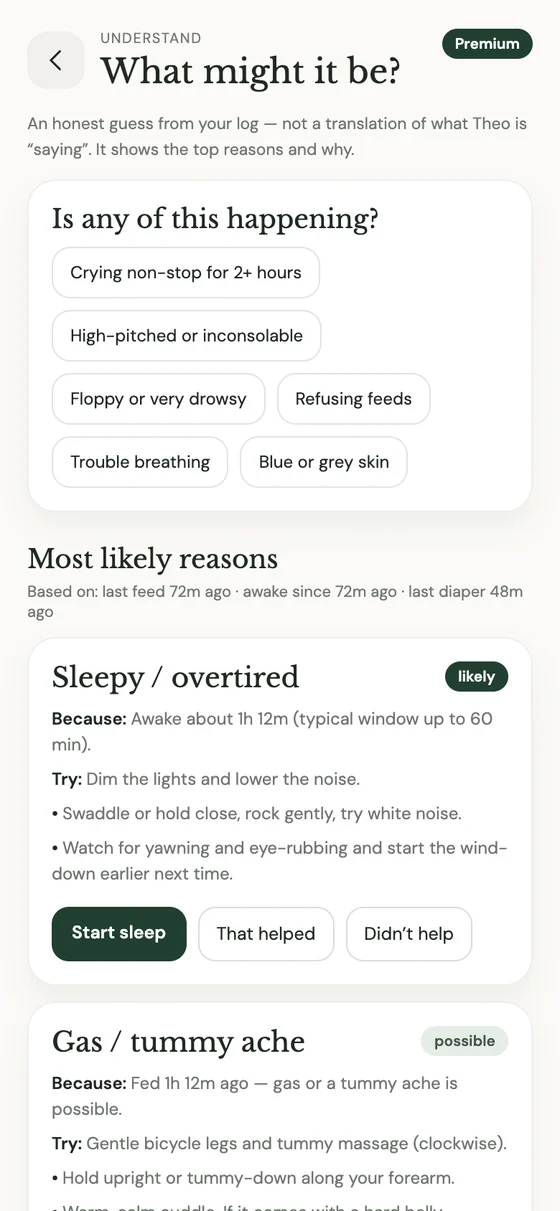
“Why the crying?” offers an honest, gentle guess — maybe sleepy, maybe gas — with soft things to try. Never a diagnosis.
The doctor’s visit
Your questions are saved before you walk in. Notes, vaccinations and the next appointment, all in one place.
Winding down
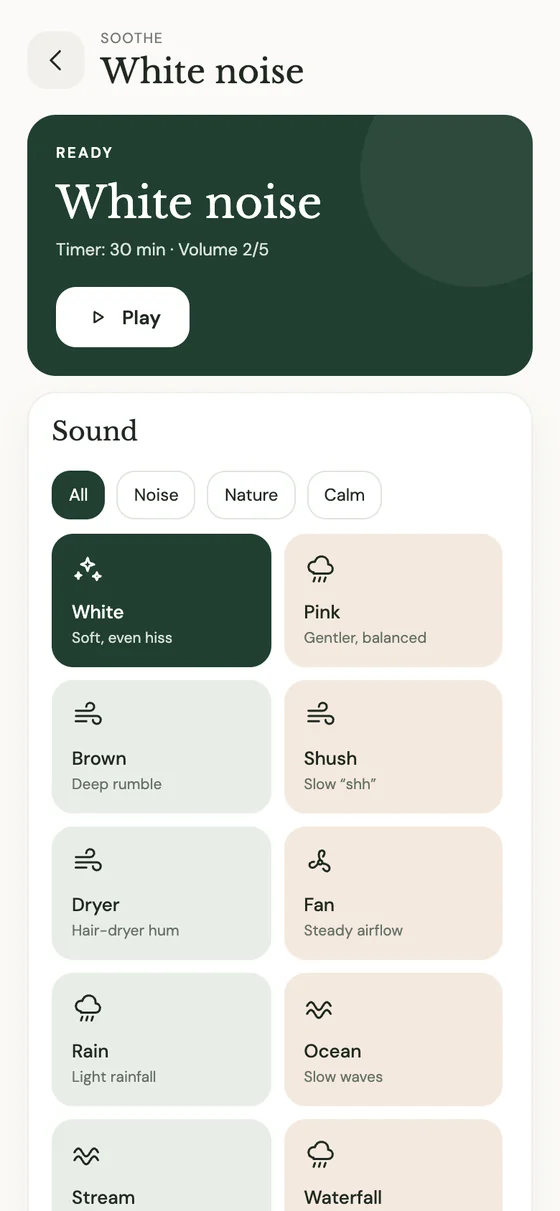
A calm loop of white noise or soft rain, with a timer. Volume steps are deliberately gentle for tiny ears.
A softer rhythm appears
At the end of the week, a quiet reflection of the moments you chose to record. You did all of that.
Tools for the hard moments.
When the night is long and the crying won’t stop, Kukumuma helps you settle baby, understand what might be wrong, and hear them from another room.
- White noiseWhite, pink, brown, rain, ocean and more — calm loops with a sleep timer and soft volume steps.
- Why the crying?Likely reasons based on your own log — an honest guess, not a translation — with gentle things to try.
- Cry monitorAn alert from another room. It listens only while it’s on; nothing is saved or uploaded.
- Emergency cardAllergies, blood group and contacts, ready when you need them most.
You matter just as much.
Recovery isn’t a footnote to the baby’s schedule. Kukumuma gives your body, mood and rest a space of their own — private, soft and never judging.
- RecoveryDaily check-ins for pain, bleeding and how you’re healing.
- Mood & mindPrivate reflections and support, for the good days and the heavy ones.
- NourishWater, meals, rest and movement — small reminders to look after yourself.
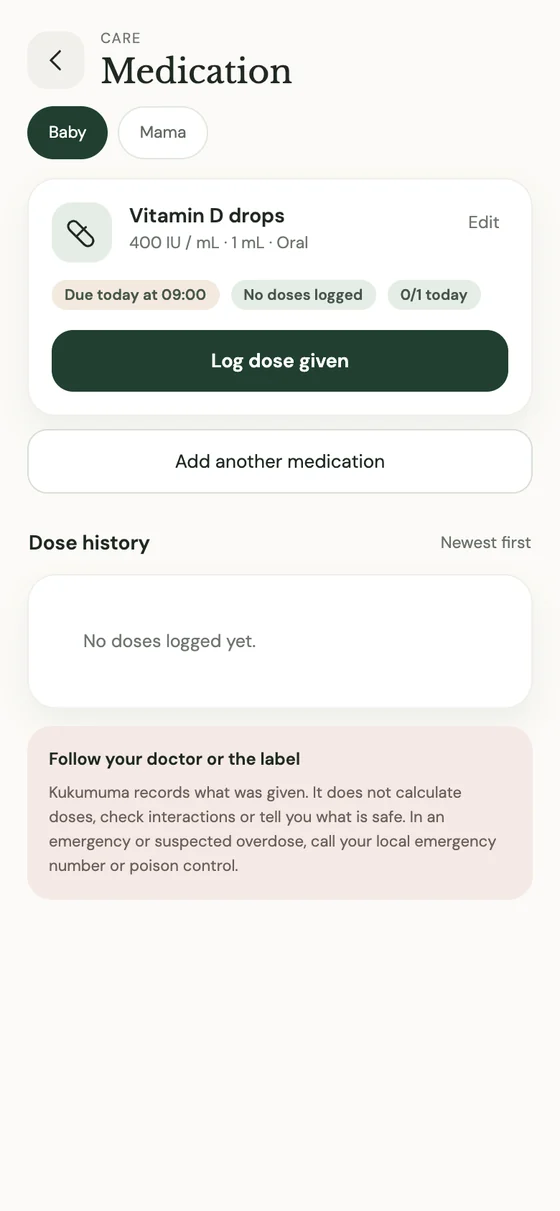
- Medication journalA simple family record of what was taken. Always follow your clinician.
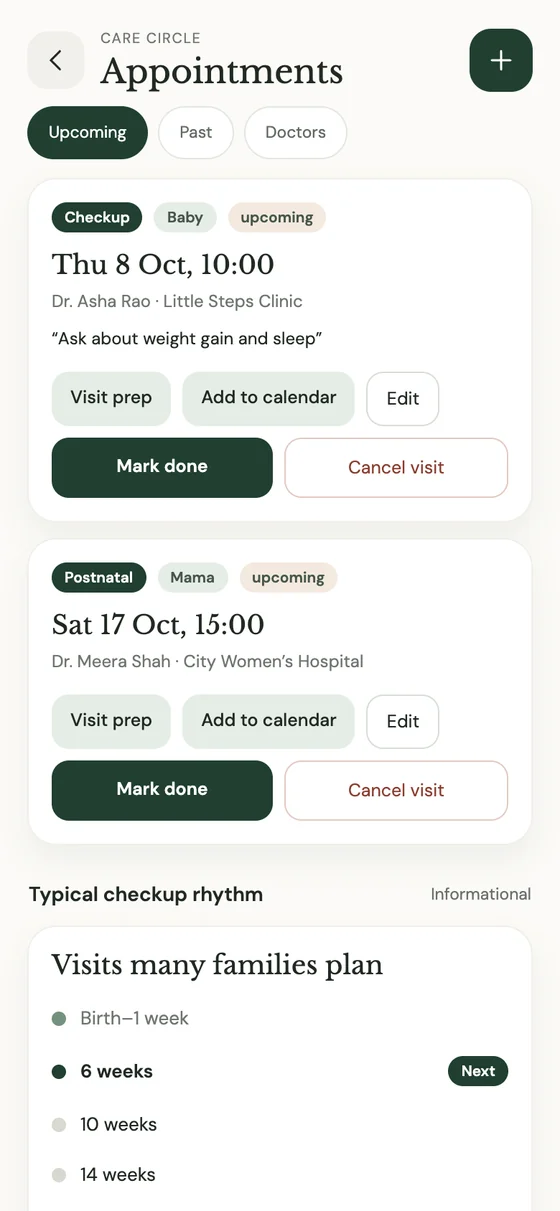
Walk in prepared. Walk out reassured.
Appointments, checkups and vaccinations live together, with reminders a day and two hours before. Jot down your questions as they come, and they’ll be waiting when you are.
- Visit prepSave the things you want to ask, then add the visit to your calendar.
- A typical checkup rhythmSee what many families plan, as a guide. Schedules differ by country — follow your clinician.
- Insurance, lockedKeep policies safe behind your own biometrics.
Keep the tiny things you don’t want to forget.
One day they’ll ask what they were like. How tiny they were. When they first smiled. Which song made them sleep. Kukumuma keeps those answers safe, so the story of their first year is never lost to a sleepless blur.
- Growth, gentlyWeight, length and head size, remembered since the day they were born.
- Care that keeps them safeSoft sounds, careful wording and an emergency card — thoughtful for the smallest of people.
Two parents. One story.
Your days are saved securely to your account, so they’re on every phone you sign in to — and shared with your partner. When one of you hands over at 4 a.m., the other already knows when baby last ate. Only the two of you can see it.
Gentle by design.
We built Kukumuma the way we’d want to be treated in the hardest, most beautiful year of our lives.
Private by default
Your entries are yours. The cry monitor listens only while it’s on and never saves or uploads sound. Sensitive details like insurance stay behind your biometrics.
Never a score
Summaries of what you recorded — no grades for you or baby, no streaks to keep, no comparisons. However you feed, you’re doing it right.
One or two taps
Details are always optional. Log now, or log later. Built for one hand, a sleeping baby and very little sleep.
“Your care space is just as important as the baby’s.”
Things parents ask us.
Is Kukumuma a medical device?
No. Kukumuma is a tracker, not a medical device, and it never replaces your care team. For anything that worries you, call your doctor or midwife. In an emergency, call your local emergency number first.
Does the cry monitor record my baby?
No. The cry monitor listens through the microphone only while it’s switched on, and nothing is saved or uploaded. It can miss a cry (a loud fan or a closed door, for example), so it should never replace your attention.
Is it only for new mothers?
Not at all. Kukumuma is for the whole family. You can choose whether your care space is called “Muma” or “Parent”, and your partner can share the same account.
Does it work in my country?
Yes. Choose metric (kg, ml, °C) or imperial (lb, oz, °F) at setup. Vaccination and checkup schedules differ around the world, so the app shows them as a guide only — always follow your own clinician.
How is my information protected?
Your entries are stored privately on your device and backed up securely to your account so they’re with you on every phone you sign in to. Insurance details are protected by your phone’s biometrics.
What age is it designed for?
Kukumuma is designed for the first year — from the day your baby is born through the months that follow, including your own postpartum recovery.
Is there an iPhone version?
Kukumuma is available for Android today. Download the app below and install it in a few taps.
Start with one tiny moment.
Download Kukumuma for Android and take the first gentle step. Your baby’s first year is waiting to be remembered.
Download the app (APK)- Download the file above on your Android phone.
- Open it and, if asked, allow installs from your browser or Files app.
- Tap Install, open Kukumuma, and create your account.